Skip to content
  • Pricing

Transcribe Old Census Records with AI Handwriting Recognition

Turn faded census handwriting into searchable, structured text in minutes. Handles US Federal Census, UK enumeration books, and records from 100+ countries.

Census RecordsUS & UK CensusHandwriting AIFree to Try

Drag an image here

Select a file...

PNG or JPG up to 10 Mb

Wolpi
AI Assistant

By uploading an image, you accept our terms and privacy policy.

Trusted by 500,000+ users worldwide — 200M+ pages processed

500K+
Users worldwide
200M+
Pages processed
300+
Public AI models
100+
Languages and scripts

The problem

Why old census handwriting defeats standard OCR
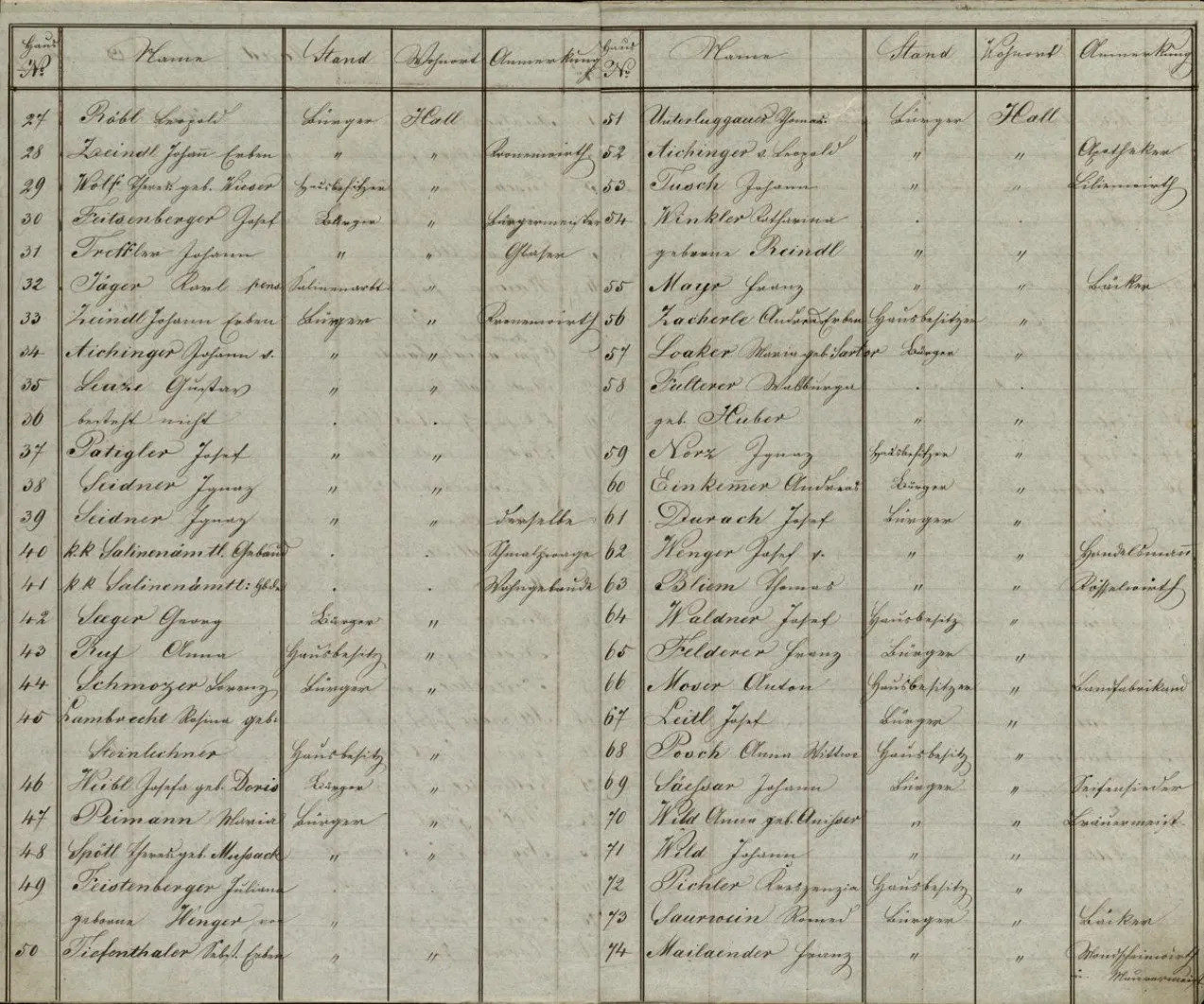
Census records are structured as tables, but enumerators filled them by hand — often in a rush, going door to door. Every enumerator had a different hand, and abbreviations varied by district, decade, and country. US Federal Census sheets from 1790 to 1950 use cramped columns with faded pencil or iron gall ink. UK Census returns from 1841 to 1921 pack entire households into tight rows. Standard OCR sees a grid of noise, not the names, ages, and occupations your research depends on.
Enumerator handwriting varies wildly — each census district has a different hand
Tabular layouts with narrow columns confuse standard OCR text-flow detection
Faded pencil entries, ink bleed-through, and microfilm artefacts on nearly every page
Heavy use of abbreviations: 'do.' for ditto, occupation shorthand, birthplace codes
Name spellings are phonetic — the same surname appears three different ways on one page
Historical census table with handwritten names and details in columns

The solution

AI that reads census record handwriting across countries and centuries
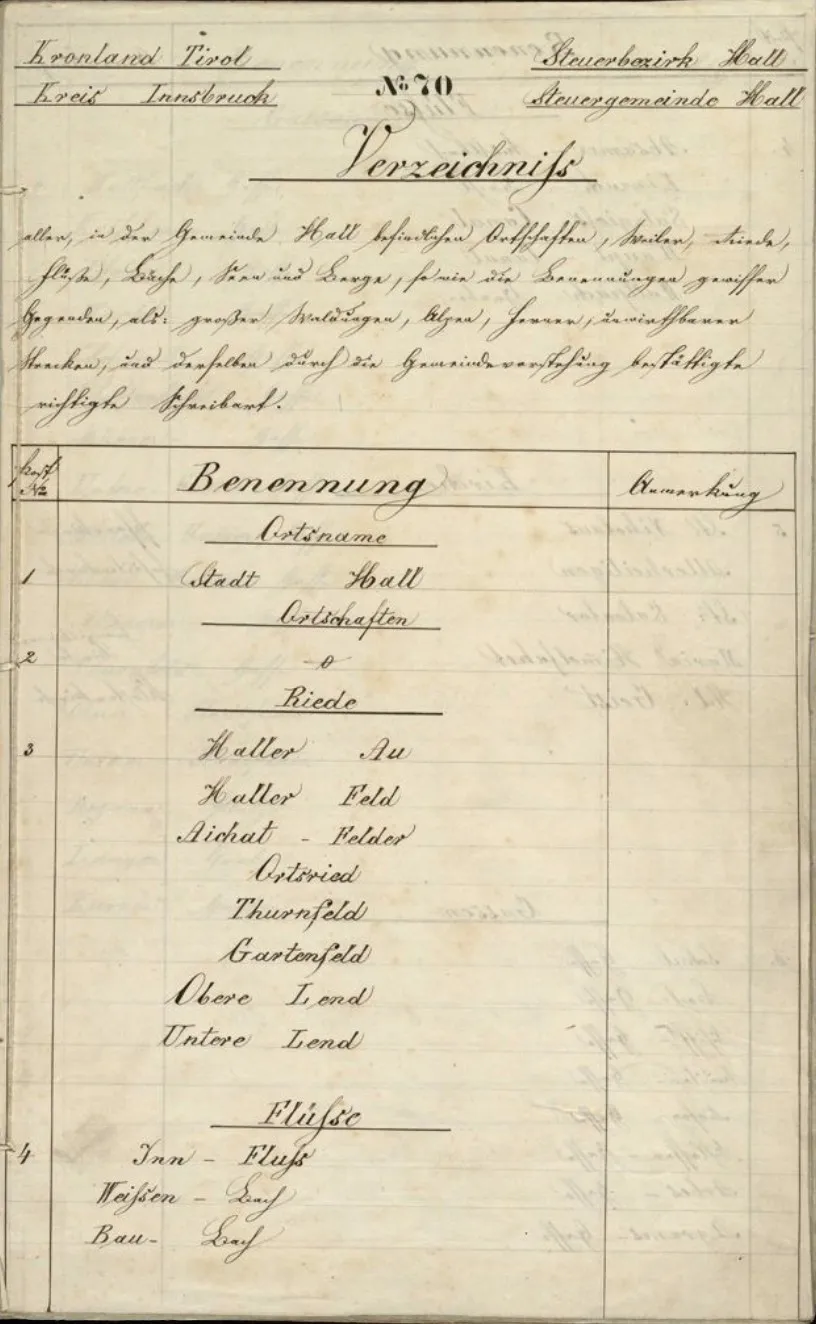
Transkribus uses handwritten text recognition (HTR) trained on millions of historical document samples — including census records. Unlike standard OCR, it understands connected cursive, tabular layouts, and the abbreviation patterns census enumerators actually used. Upload a scan or phone photo of your census page, select a model, and get structured text back in minutes. The AI detects columns, reads across rows, and preserves the table structure that makes census data usable.
300+ public models — including models trained on census-era handwriting styles
Table detection recognises column headers, row boundaries, and cell content automatically
Handles faded pencil, microfilm scans, and low-contrast images that defeat standard OCR
Confidence scores on every line — see exactly which entries need your review
Export as plain text, CSV, Excel, searchable PDF, or structured XML
Historical register from Kronland Tirol with structured tabular entries

Comparison

Transkribus HTR vs. Standard OCR on Census Records

Census forms combine printed column headers with handwritten entries, often in cramped grids. Standard OCR struggles with this hybrid format, while HTR is built for it.

FeatureTranskribus HTRStandard OCR
Mixed print and handwritingReads handwritten entries alongside printed column headers and form bordersOnly reliable on the printed portions — handwritten fields are garbled or skipped
Tabular form layoutsTable recognition detects rows, columns, and cells — extracts structured data automaticallyNo table detection — outputs text as a flat stream, losing column associations
Cramped handwriting in small cellsTrained on real census forms with tightly written names, ages, and occupationsCharacter segmentation fails when letters are compressed into narrow columns
Historical handwriting stylesModels cover 18th–20th century scripts across multiple countries and census traditionsLimited to modern printed text — historical census handwriting is unsupported
Batch processingProcess entire census books (hundreds of pages) in a single batch operationTypically page-by-page with no batch workflow
Structured exportExport as CSV, XML, or Excel with column associations preserved for database importPlain text only — manual re-entry needed to recreate the original table structure

Comparison reflects general capabilities of HTR (Transkribus) versus standard OCR engines on census record forms. Actual accuracy depends on document condition, handwriting legibility, and model selection.

How to transcribe census records in 4 steps

Upload your census page

Take a photo with your phone or upload a scan. Transkribus accepts JPG, PNG, PDF, and TIFF — including multi-page census schedules.

Select an AI model

Choose from 300+ public models. Filter by language, century, and script type to find the best match for your census record's era and region.

Run text recognition

Click 'Recognise' and let the AI work. It detects the table structure, reads each cell, and processes the full page in about 30 seconds.

Review and export

Check the transcription against the original image. Fix any misread entries in the built-in editor, then export as text, CSV, Excel, PDF, or XML.

Models for census records

AI models for historical census digitization and enumeration transcription
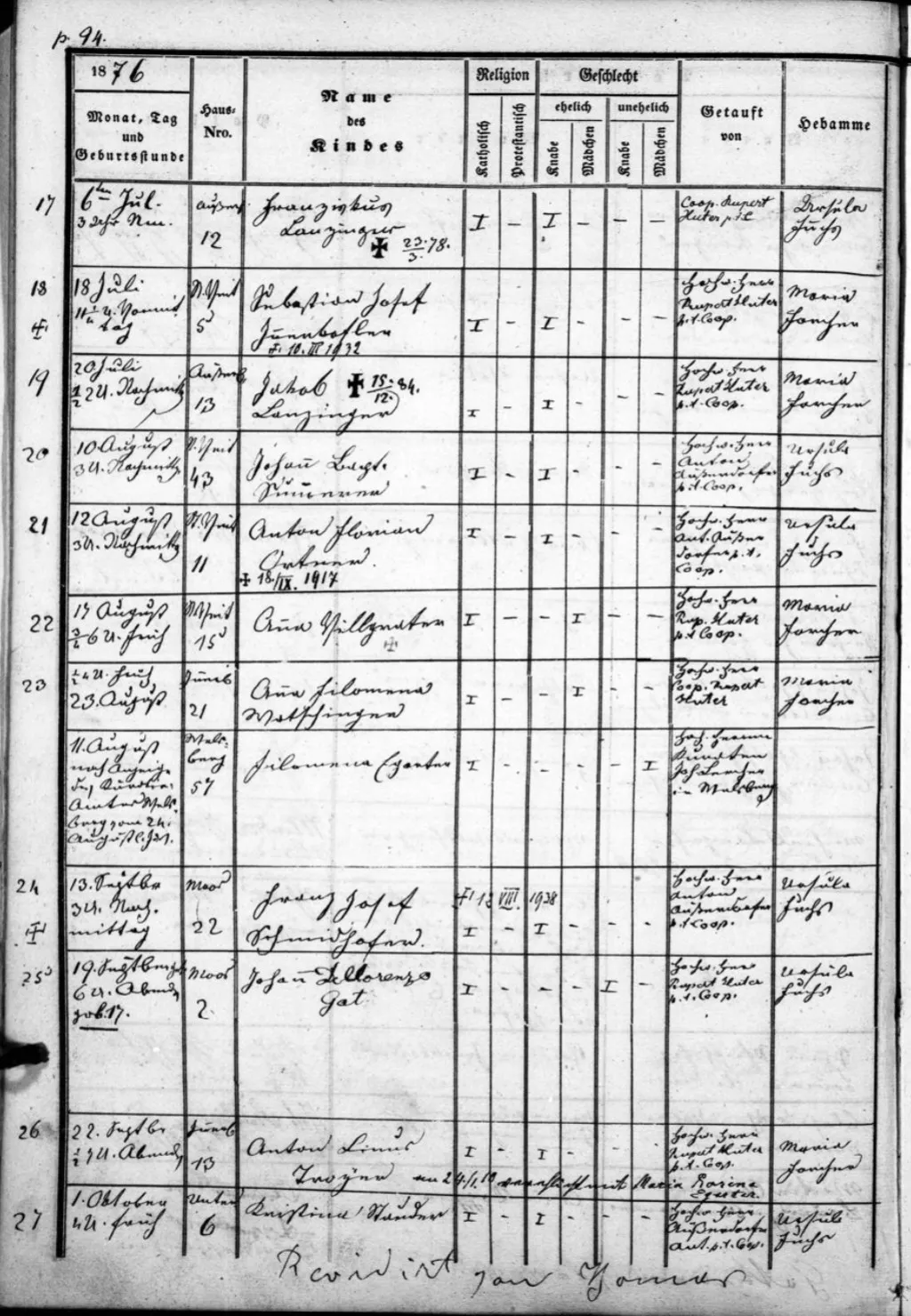
The Transkribus public model catalog includes models suited to the handwriting styles and tabular formats found in census records from multiple countries and centuries. Many were trained by archivists and genealogists on real census collections, so they handle the specific abbreviations, column layouts, and script variations that generic tools miss.
US Federal Census: models covering 19th and early 20th-century American enumerator handwriting
UK Census: models for Victorian and Edwardian-era enumeration book entries (1841-1921)
Canadian Census: models for bilingual English/French population schedules
European census records: models for German, Austrian, Scandinavian, and Dutch population registers
New models added by the community regularly — covering more regions and time periods
Tabular historical register with handwritten entries across structured columns

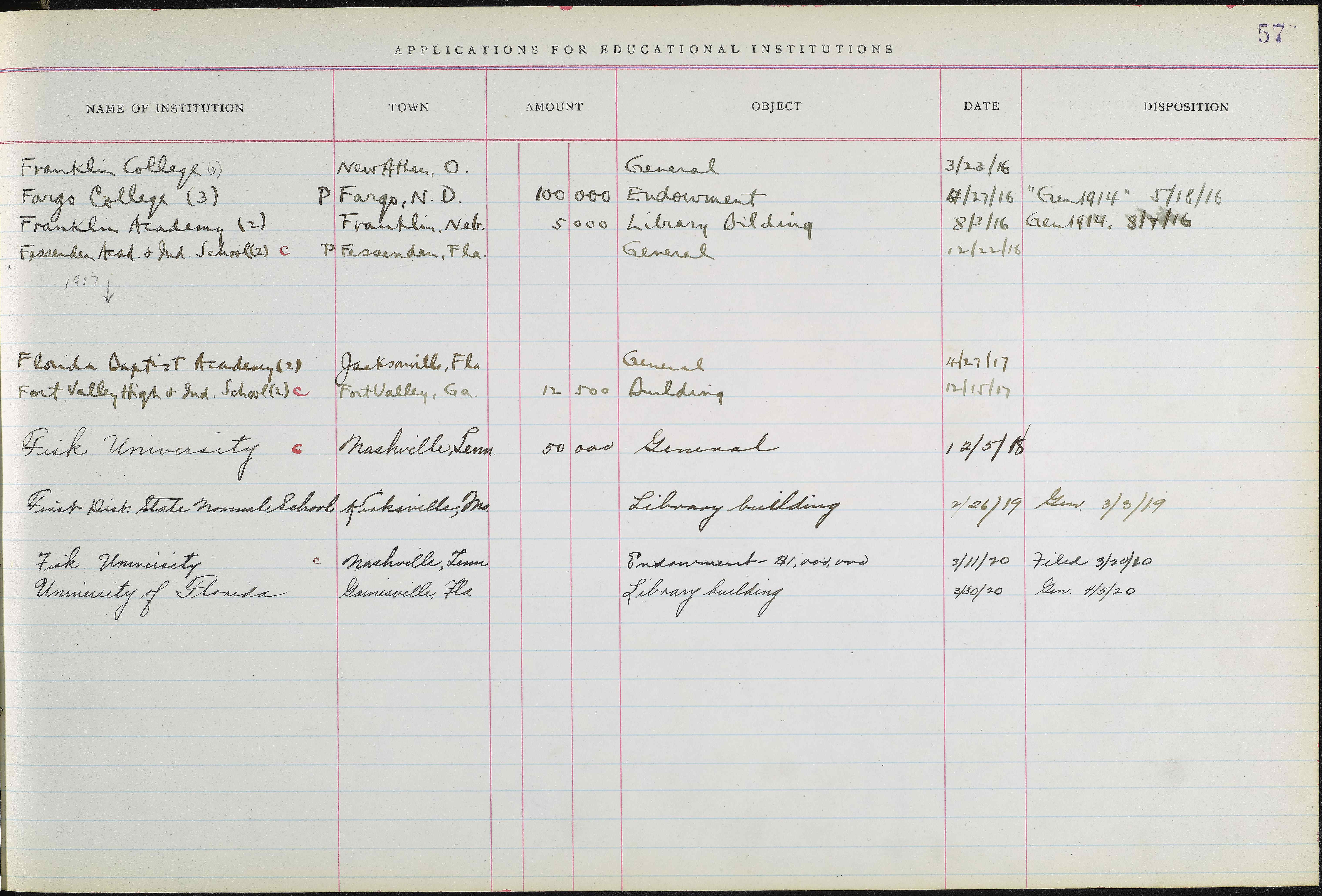
See table recognition in action

Transkribus detects the grid structure of tabular records and extracts each cell into a structured spreadsheet — ready for your genealogy database.

Document with detected table structure
Extracted Data
InstitutionTownAmountObjectDateDisposition
Franklin College (6)New Athen, O.General3/23/16
Fargo College (3)Fargo, N.D.100,000Endowment4/27/16Gen 1914, 5/18/16
Franklin Academy (2)Franklin, Neb.5,000Library Building8/3/16Gen 1914, 8/7/16
Fessenden Acad. & Ind. SchoolFessenden, Fla.General12/22/16
Florida Baptist Academy (2)Jacksonville, Fla.General4/27/17
Fort Valley High & Ind. SchoolFort Valley, Ga.12,500Building12/15/17
Fisk UniversityNashville, Tenn.50,000General12/5/18
First Dist. State Normal SchoolKirksville, Mo.Library Building2/26/19Gen. 3/3/19

Frequently Asked Questions

Accuracy depends on the enumerator's handwriting, document condition, and model used. On well-preserved census pages with clear handwriting, our best models achieve 95%+ character accuracy. Faded pencil entries or unusual hands may need a custom-trained model for optimal results. Every line includes a confidence score so you can identify entries that need manual review.
Yes. Transkribus includes automatic table detection that identifies column headers, row boundaries, and individual cells within census sheets. This is critical for census records, where data is organised in columns (name, age, occupation, birthplace, etc.). The table structure is preserved in the output, so you can export directly to CSV or Excel.
Yes. You can upload an entire enumeration district as a multi-page PDF or as individual images, then batch-process all pages with a single click. Transkribus handles layout detection and text recognition across every page automatically — no need to process one page at a time.
Transkribus works on census records from any country, provided there is a suitable model for the handwriting style. The public model catalog includes models trained on US Federal Census (1790-1950), UK Census (1841-1921), Canadian Census, and various European population registers (German, Austrian, Scandinavian, Dutch). You can also train a custom model on your specific census collection.
Transkribus gives you 50 free credits every month — enough to transcribe about 50 pages. No credit card required. If you need more for larger census collections, paid plans start at affordable rates. See our plans and pricing page for details.
Yes. Transkribus accepts photos from smartphones as well as high-resolution scans and microfilm images. For best results when photographing census pages, use good lighting, keep the document flat, and fill as much of the frame as possible. JPG, PNG, PDF, and TIFF formats are all supported.
Yes. Transkribus is designed for bulk processing. Upload hundreds or thousands of census pages, select a model, and let the AI process everything in batch. This is especially useful for genealogists working through entire enumeration districts or archivists digitizing complete census collections.
You can export census transcriptions as plain text, CSV, Excel, searchable PDF, DOCX, PAGE XML, ALTO XML, or TEI-XML. CSV and Excel exports are particularly useful for census data, as they preserve the tabular structure for easy import into genealogy databases or spreadsheets.
EUAT

Your documents, your data, your control.

Transkribus is built and hosted in Europe by a cooperative of 250+ institutions. Your data stays yours.

Full data ownership

Your documents and transcriptions belong to you. Delete anytime.

Hosted in Europe

All processing on our own servers in Austria. GDPR-compliant. No Big Tech dependencies.

Built for the long term

A cooperative, not a startup. 250+ co-owners ensure Transkribus will be here for years to come.

Related guides

Explore more genealogy record types

Census records are just one piece of the puzzle. Explore our other record-type guides: Church records · Vital records · Military records · Wills & probate · Immigration records · Land deeds
Various genealogical record types

Ready to unlock your census records?

Create a free account and start transcribing census pages today. 50 free credits every month — no credit card required.

50 free credits every month — No credit card required

200M+Pages processed
500K+Users worldwide
300+Public AI models